The inspection's done before you leave the property.
Sitesui is the field inspection platform that closes the loop — capture on your phone, hand over a branded report the second you submit, and turn every finding into a tracked work order, while residents report issues straight into the same queue.
Walk it on your phone
Report ready to share
Maple Court · 4B
Work order created
Replace smoke detector
Built for
The old way
The inspection ends. The busywork doesn't.
Findings live in a camera roll and a paper checklist. The report gets retyped at a desk hours later. Half the issues never become a work order — they die in a text thread. And when a move-out gets disputed, the evidence is scattered.
Photos scattered across texts
Field photos land in three phones and a group chat, unattached to anything.
Reports retyped at the office
A walkthrough turns into an hour of copy-paste before anyone sees a PDF.
Findings that go nowhere
A cracked tile gets noted, then forgotten. No owner, no due date, no proof it was fixed.
The platform
One thread, from the crack in the wall to the closed work order.
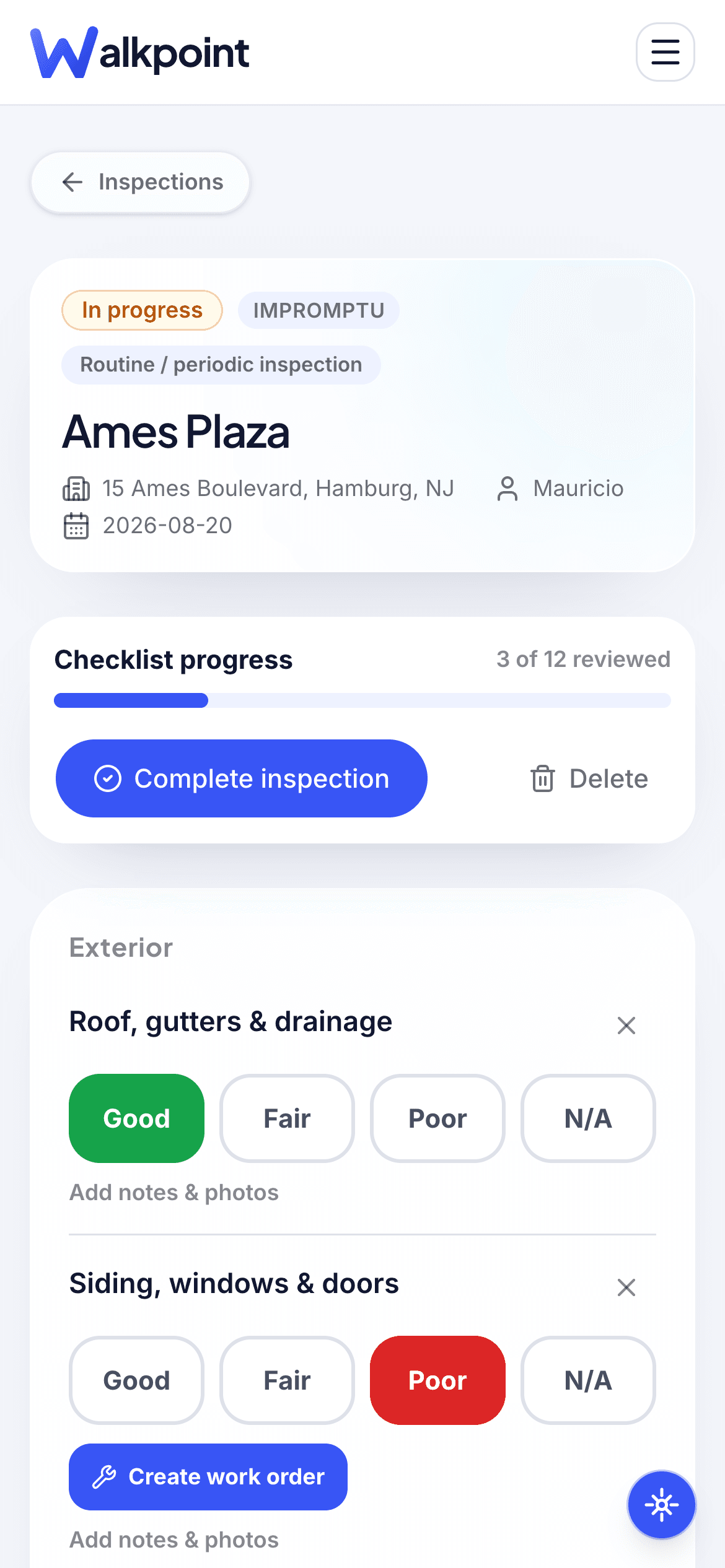
Run the whole walk from your phone
Score every item Good, Fair, or Poor, add a note, and snap photos as you go — assigned ahead of time or started on the spot. No signal required; it syncs when you're back.
- 15 templates, or build your own
- Thumb-sized Good / Fair / Poor / N/A
- Photos, video & on-photo annotation
- Address autocomplete, offline-first capture
Systems
Maple Court · Unit 4B
Hand over a branded report before you leave
The moment you mark an inspection complete, Sitesui builds a branded PDF — checklist by area, color-coded conditions, your summary, and a photo appendix. Share it with a link; no login needed on the other end.
- Your logo & colors on every PDF
- E-signatures — in person or by link
- Move-in vs move-out comparison
- Share by link, email, or ZIP export
Inspection report
#WP-20841
Maple Court · Unit 4B
Riverton · Inspected by A. Okafor
Exterior
6/6 pass
Common areas
5/5 pass
Systems
1 finding
Safety
2 findings
14 photos attached — every one timestamped.
Every finding becomes a tracked work order
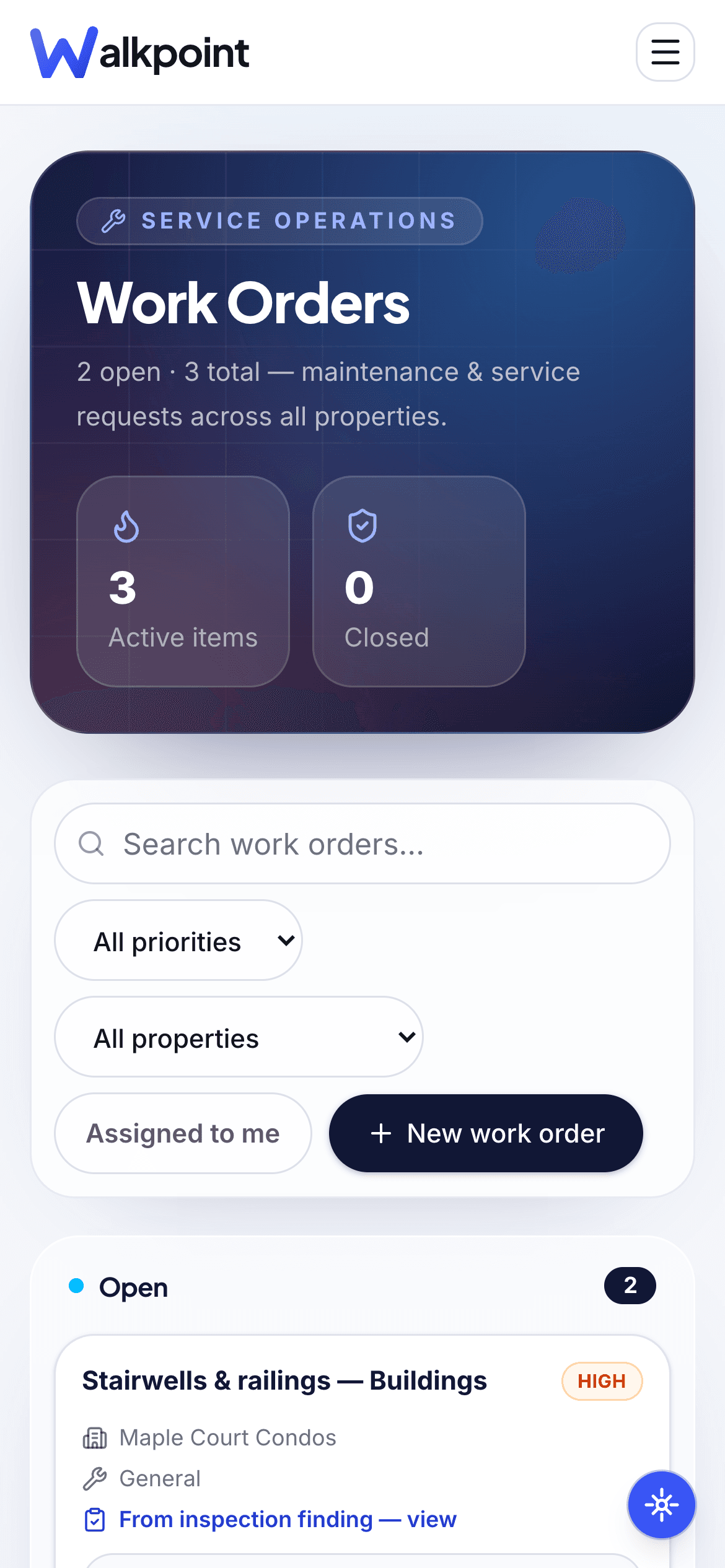
Flag a dead smoke detector or a cracked step and turn it into a work order in one tap — with a trade, a priority, an assignee, and a due date. Nothing dies in a text thread.
- One-tap finding → work order
- Trade, priority, assignee, due date
- Status tracked to done
- A clean audit trail from flag to fix
Work orders
From this walkReplace smoke detector
Unit 4B · Electrical · High priority
Reseal cracked step
Front entry · General · Medium priority
Clear gutter blockage
Roofline · Exterior · Low priority
Let residents report issues — straight into the queue
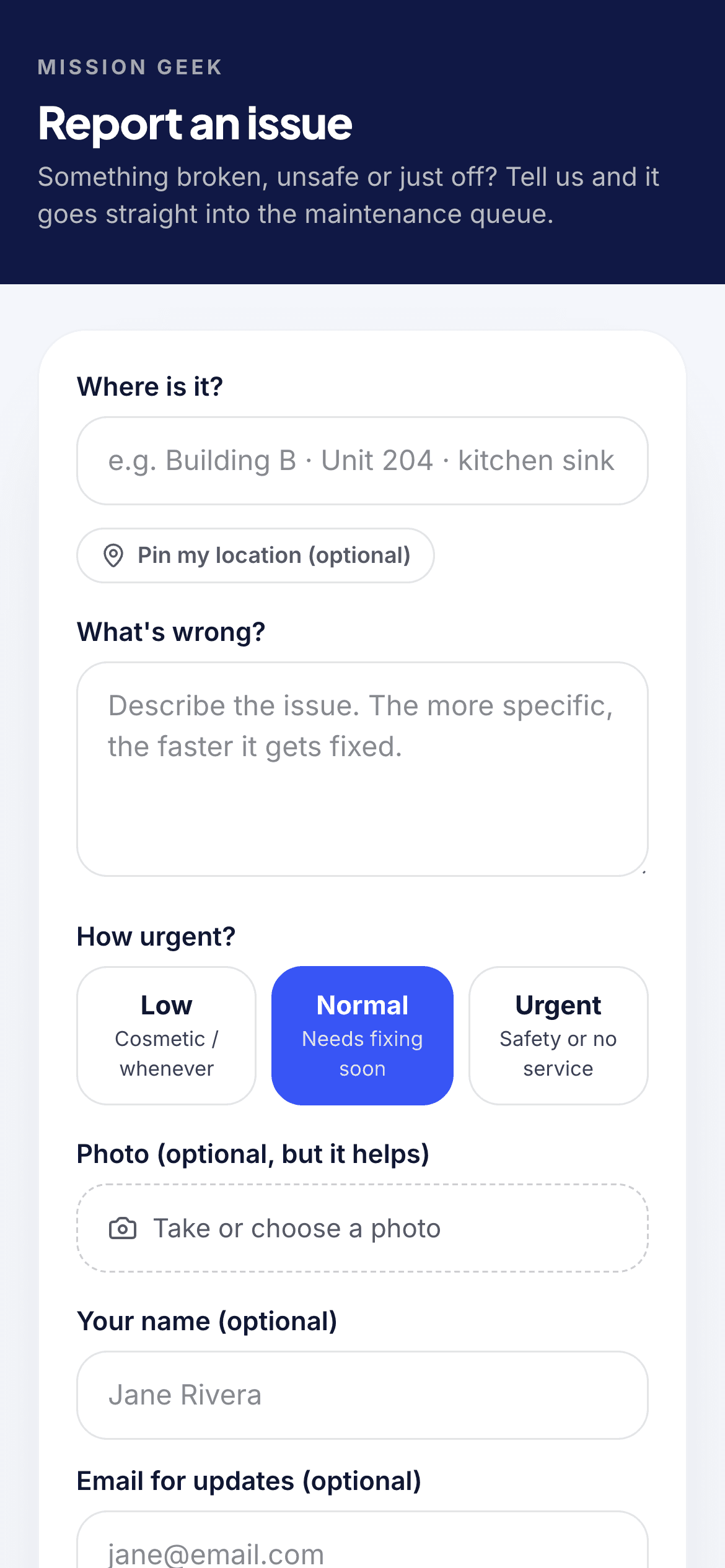
Give residents, tenants and on-site staff a link or a QR poster. They say where it is, what's wrong, how urgent, and add a photo — no app, no login. It lands in your Pinpoint inbox and becomes a work order in the same pipeline as an inspector's finding.
- Branded report page — share a link, print the poster, or per-area QR stickers
- Location, urgency and up to 5 photos on every report
- One inbox for residents' reports and inspectors' findings
- Becomes a work order in one tap — and the resident gets a “we're on it” email
Pinpoint inbox
3 new · via QR posterDryer #2 won't heat
NormalResident · Apt 3C · Bldg B · Laundry
Photo attached · Create work order
Hallway light flickering
LowResident · Apt 7A · Bldg A · 2nd floor
Schedule with next electrical visit
Pool gate latch loose
UrgentBoard member · Pool deck
Safety — work order created
How it works
Live the same day. No implementation project.
01
Build a template once
Set up your areas and checklist — Exterior, Common Areas, Systems, Safety — so every inspector runs it the same way.
02
Walk the property
Score each item, add notes, and capture photos on your phone. Online or off, it all syncs.
03
Report on submit
Mark it complete and the branded PDF is ready to share — no retyping, no desk time.
04
Close the loop
Turn findings into work orders, track them to done, and keep a documented trail from flag to fix.
Pinpoint — resident reporting
The people who live there see problems first.
Share your Pinpoint link or print the QR poster. Residents say where it is, what's wrong and how urgent, add a photo, and it lands in your inbox — flowing into the same work-order queue as an inspector's finding — one queue, whoever spotted it.
- No app to download — a branded page, link or QR
- Location, photo and urgency on every report
- One tap and it becomes a work order
Pinpoint inbox
3 new · via QR posterDryer #2 won't heat
NormalResident · Apt 3C · Bldg B · Laundry
Photo attached · Create work order
Hallway light flickering
LowResident · Apt 7A · Bldg A · 2nd floor
Schedule with next electrical visit
Pool gate latch loose
UrgentBoard member · Pool deck
Safety — work order created
0
minutes retyping reports
Offline
capture that syncs later
1 tap
from finding to work order
100%
of photos timestamped
Fits the way your team already works
Move data in and out by CSV, hand owners a report with a link, and reach your team by email today. Native connections to the platforms you run on are on the roadmap.
Available now
- CSV import & export
- Shareable report links
- Email notifications
- Private photo storage
On the roadmap
Built to be trusted with property and resident data
Sitesui runs on Postgres with row-level security on every table, private photo storage, and role-based access — so people see exactly what they should, and nothing else.
See how we protect your dataRow-level security everywhere
Private photo storage
Role-based access
Full audit log
Pricing
Free to start. One flat price to scale — not per unit, not per seat.
One inspection a month is free forever. Pro is $12/month (or $99/year) for the whole workspace — unlimited inspections, unlimited inspectors, every feature. Cancel anytime.
Free
Try it, and for the occasional inspection
$0/forever
1 inspection / month · no card
Pro
Anyone running real volume
$12/month
Unlimited inspections · or $99/year
Business
Agencies & anyone whose clients see the reports
$39/month
White-label · or $329/year
Questions, answered
How long does it take to get started?
Most teams run their first real inspection the same day. Build a template, add a property, and walk it — the report is ready the moment you submit.
Do inspectors need to be online?
No. Everything works offline and syncs when a connection returns, so a dead zone never stops a walkthrough.
What makes Sitesui different from a checklist app?
It doesn't stop at the report. Every finding can become a tracked work order, and residents can report issues into the same queue — so you close the loop, not just document it.
Can owners and clients see reports without an account?
Yes. Share a secure link and they open the branded report in any browser — no login required. On Pro, an owner link gives them a property's whole inspection history and the next routine walk on one private page.
Turn the walkthrough into the work that gets done.
Start free in minutes — one inspection a month, no credit card. Go unlimited with Pro for $12/month.